Posting Tip — Here’s A Way To Enlarge Font Size When Posting
The tiny font size on these new boards was really bothering me. Until they decide to fix it by default… a simple fix for them btw, but one we may or may not get right now…I wanted to post what worked for me.
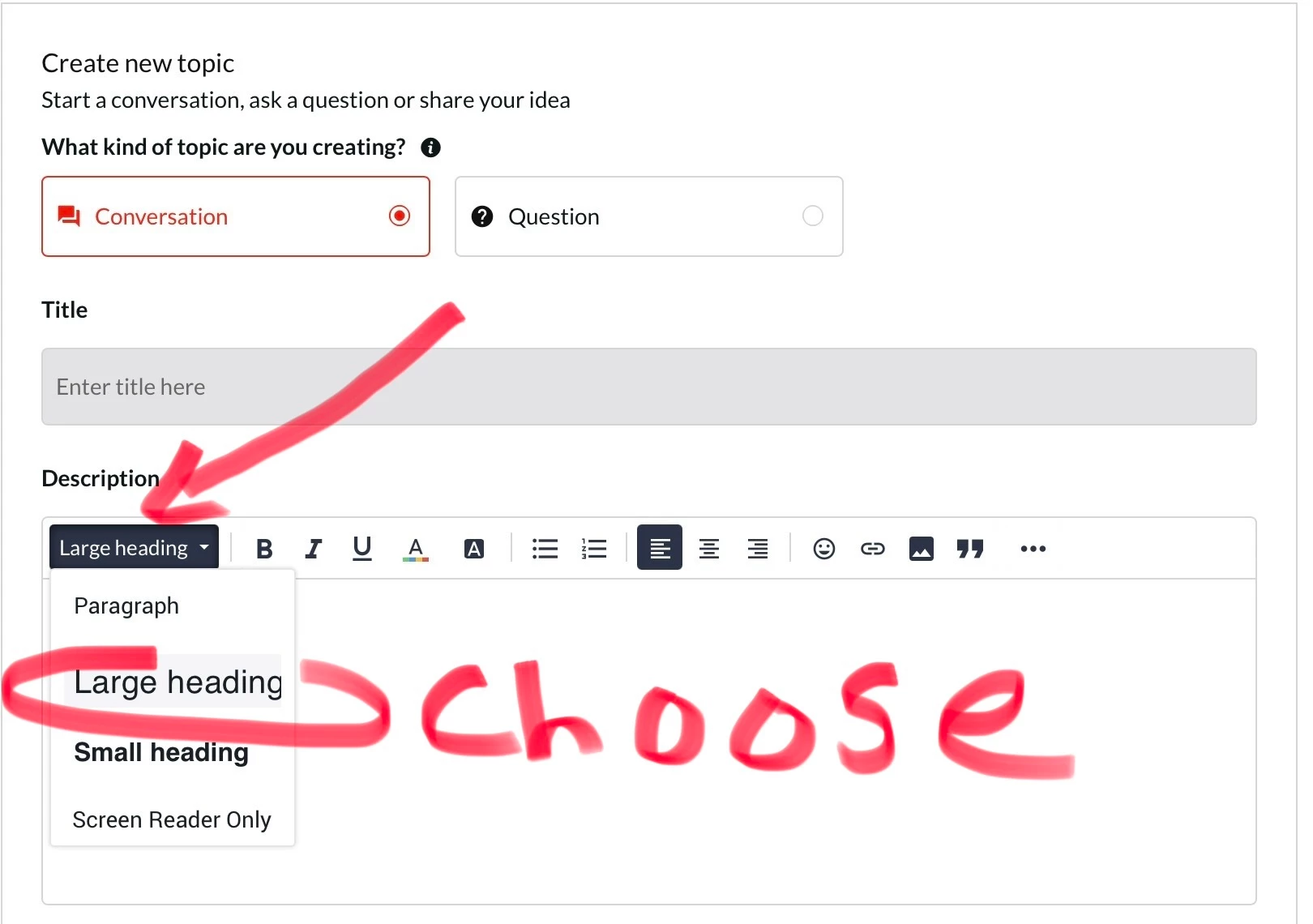
Click into where you will be typing in the provided blank area…
— Click on the box to the left of the B bold button. It will either say
“Styles” or “Paragraph”
— Chose “Large Heading”
— Proceed to type
This can also be done after the fact, by highlighting your text to be enlarged, then choosing the large heading option afterwards.
Screenshot Below