Contributor ⭐
September 3, 2026

Request Header or Cookie Too Large Error

  • September 3, 2026
  • 2 replies
  • 199 views

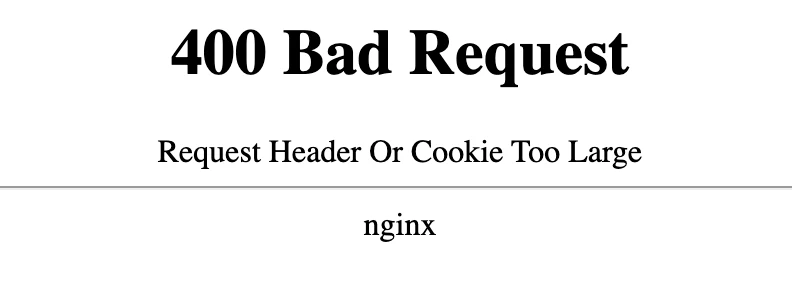
Since the last conversation was closed without resolution, I would like to open this up again. I am now getting the error message on both Google Chrome and Apple Safari, where before it was just Chrome. It is NOT an issue of clearing cache. My Macbook just rebooted and I’m getting this error on both browsers now. I have a background/career in software development and I know this can be fixed by a programmer if they would just be assigned the task. Also note that this happens only on the Daily Puzzle that I”ve seen. The Mini Crossword page that I also do every day is working fine, if that helps the developer. 


2 replies

AARPCK
Community Manager
September 30, 2026

Hi @DeeArcy, I wanted to follow up since we did have our internal team and QA look into the issue you reported with the Daily Puzzle. 

They tested the game but were unable to reproduce the error you’re seeing. Based on their testing, the Daily Puzzle is currently running as expected. 

One possibility they could not completely rule out is an interaction with an ad blocker or browser privacy settings that may differ from the settings used during testing. If you use an ad blocker, you may want to temporarily disable it for AARP.org to see if that makes a difference. 

I know this doesn’t explain why you’re seeing the error, but I wanted to close the loop and let you know we investigated your report. Thank you for taking the time to provide the details and screenshot.

SereneSeagull
Community Champion ⭐⭐⭐
September 3, 2026

Please work for them ​@DeeArcy .  Pretty please. 👍