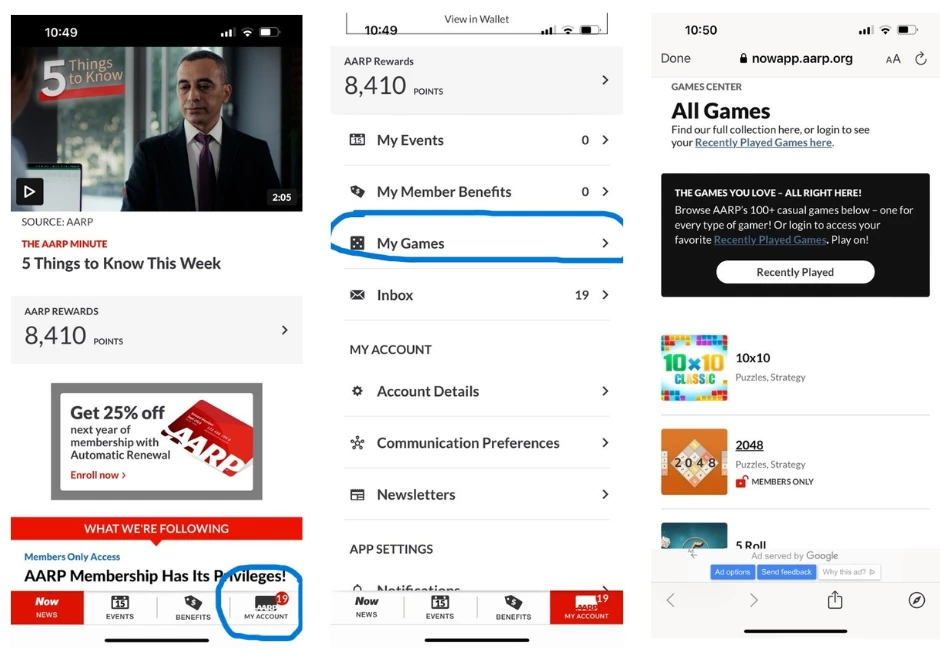
Accessing Games in the AARP Now App
If you’re using the AARP Now App, here’s how you can access AARP Games:
- Click My Account: tap the My Account link on the bottom right of the AARP Now App.
- Choose “My Games”: look for the “My Games” option. Selecting it will take you to the All Games page.
- Select Your Preference: Decide whether you want to explore all games by scrolling through the alphabetical listing or you can select “Recently Played” to access your most recently played.